
This page summarises how Sensory Readable v3 differs from version 2.5 in terms of what it does for the reader and writer. It is written for needs assessors, study-skills tutors, disability advisers and other support professionals, so it describes the functional changes a user would notice rather than internal technical changes.
New in v3
Capabilities introduced for the first time in version 3.
Readable Banner
A scrolling reading display that shows the text being spoken with the current word highlighted, set within a small window of the words just read and the words coming up. The reader chooses the font, size, colour, spacing, scroll behaviour and how many words are shown at once.
Why it matters: it pairs the spoken audio with a single, customisable line of focus, which can help readers who lose their place in a full page of text or who find a large block of text overwhelming.

Word Information popup (Ctrl+Shift)
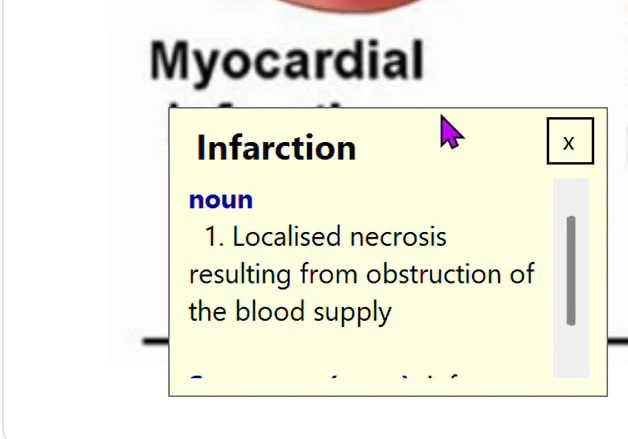
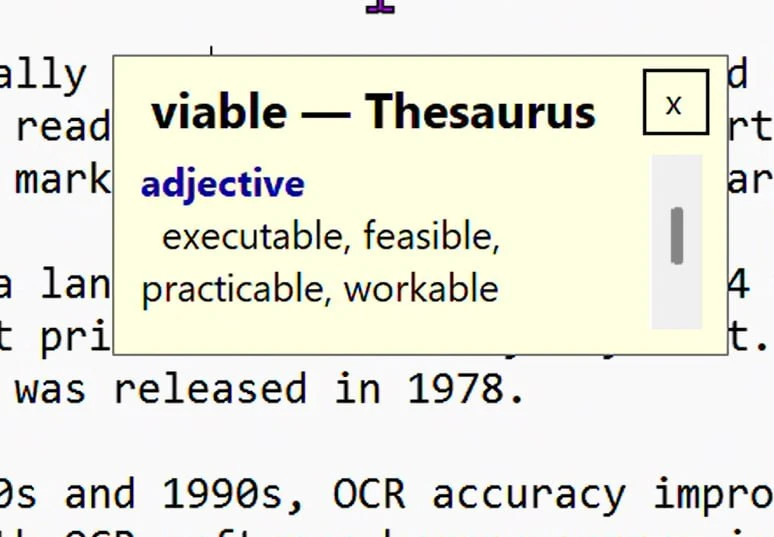
Holding Ctrl+Shift and hovering over a word shows an instant popup with its definition, pronunciation and related entries, drawn from a built-in offline dictionary of more than 147,000 words. In v3 this works in any Windows application — Word, browsers, PDFs, email — and even over text inside images or locked PDFs, which it recognises first using on-screen text recognition.
Why it matters: dependable, private, offline word support wherever the learner is reading, with no lookups leaving the PC — useful in exam settings and on filtered networks.
Sensory Prediction
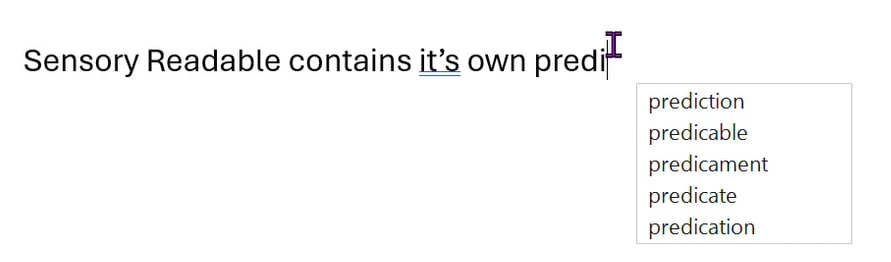
v3 adds Sensory’s own word-prediction option as an alternative to the default Microsoft (Windows) prediction. Writers can choose which prediction to use, rather than relying solely on the built-in Windows option.
Why it matters: an additional prediction choice for writers who struggle with spelling or composition, giving more flexibility to find the style that best supports a learner.
Sensory Fonts
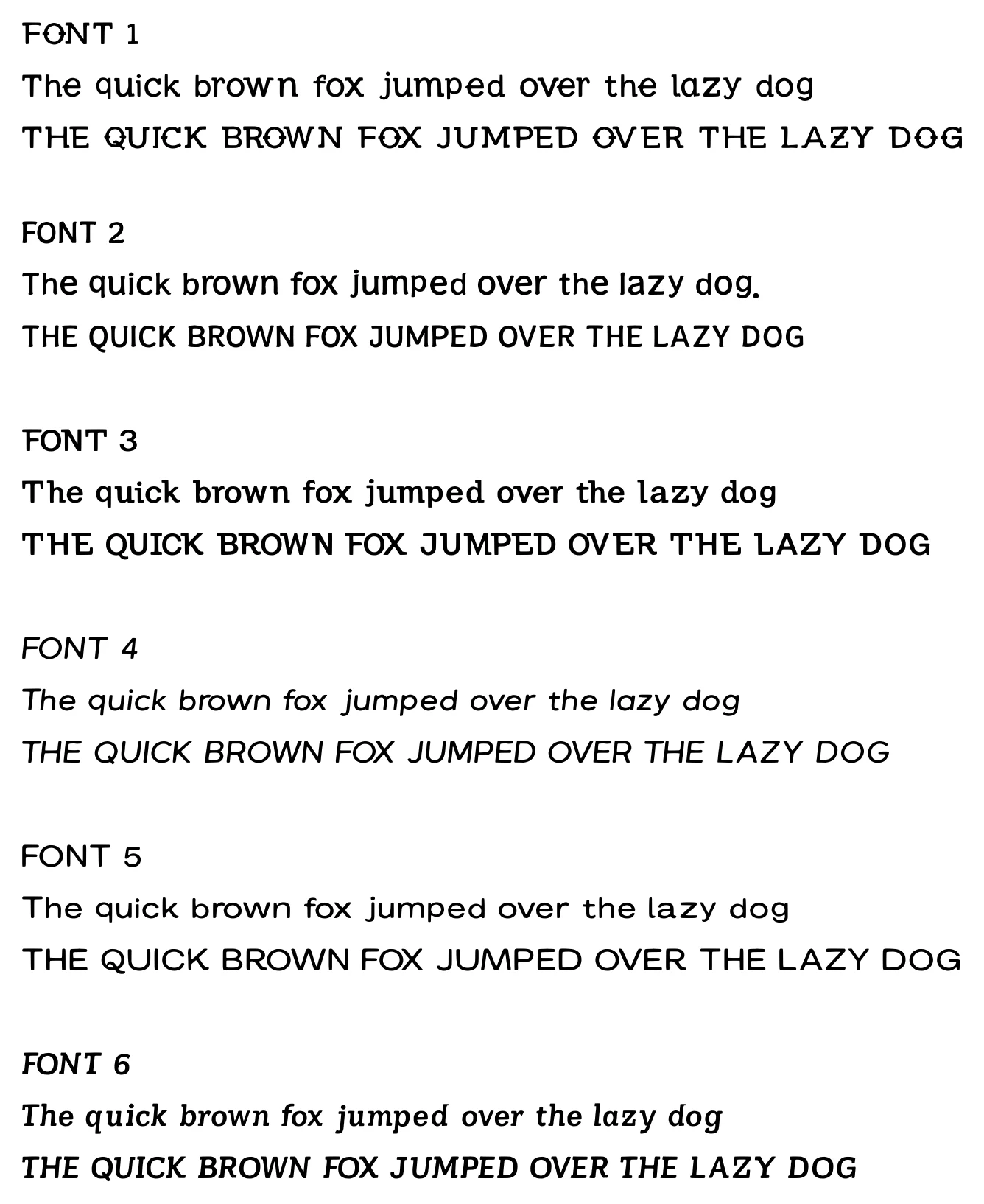
A set of six reading fonts is now included and can be applied to supported reading and writing views, selectable as part of the font and spacing options.
Why it matters: readers can pick a typeface that suits them. The benefit comes from being able to choose what reads most comfortably, rather than any one font being “best” for everyone.
Read to End shortcut (Ctrl+Space)
A new keyboard shortcut that starts reading from the cursor and continues to the end of the document, giving a quick keyboard alternative to clicking Play.
Why it matters: faster, keyboard-only operation for readers who prefer not to use the mouse.
Small Toolbar
A compact version of the Readable toolbar, taking up less screen space while keeping every button accessible.
Why it matters: a less intrusive option for learners working on small screens or who find the full toolbar distracting.
PDF Convert 2 (in the v3 Suite)
The Sensory Readable v3 Suite includes the upgraded Sensory PDF Convert 2. It brings pages in three ways — scanning, opening an image (JPEG, PNG, BMP, TIFF), or opening an existing PDF — runs automatic OCR on each page, and saves to four formats: Accessible PDF, Plain Text, Rich Text (RTF) or Word document (DOCX).
Why it matters: learners who receive course material as PDFs, including scanned or image-based ones, get a reliable route to text they can read, hear and edit.
Improved in v3
Features that existed in v2.5 and are now significantly better or broader.
Save to Audio (MP3)
Saving spoken text as an audio file is substantially improved in v3. The audio is recorded at a noticeably higher resolution, and you can now select any text and save it — either from the clipboard or directly from Microsoft Word. In v2.5 this was available only from within Word.
Why it matters: learners can turn notes, articles or passages from almost anywhere into clear audio to listen back to — useful for revision and on-the-move study.
Hover reading across applications
The hover reading modes now work across virtually any application on screen, reading text under the pointer even where it cannot be selected, by recognising the text on screen. In v2.5 hover reading was more limited in where it could operate.
Why it matters: a more dependable single reading method that behaves consistently whatever application the learner is in.
More voices in v3
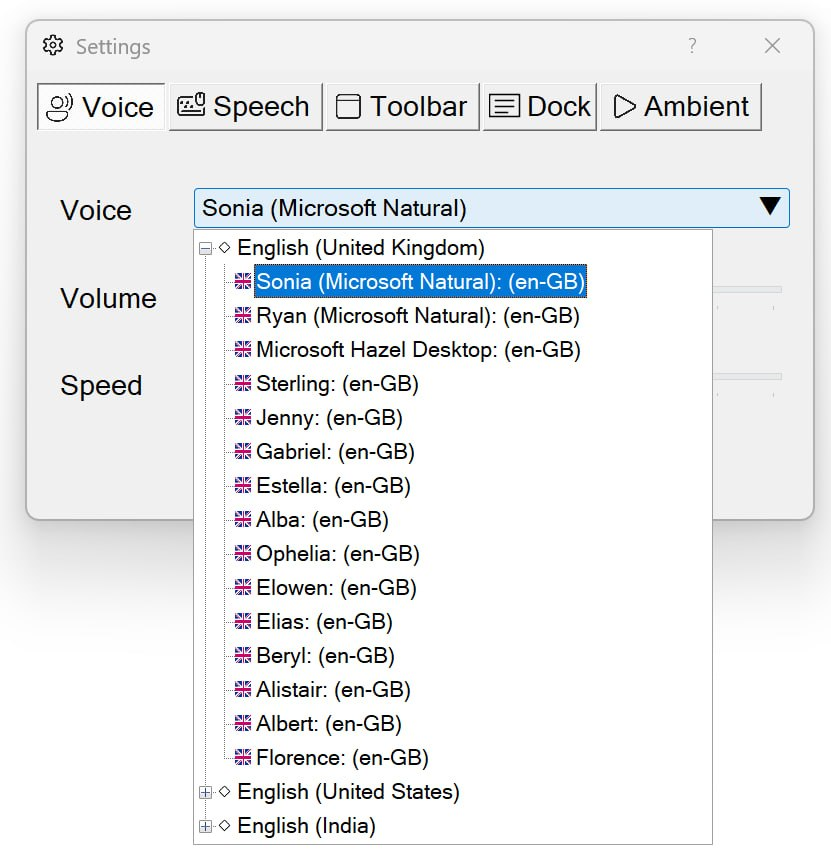
v3 takes an offline-first approach to voices and expands the range that installs on the PC. There are two families: high-quality Natural Voices from Microsoft, and Sensory’s own offline Sensory voices.
Natural Voices
Sonia and Ryan (UK) carry over from v2.5. New in v3 are five further Natural Voices: Guy, Jenny and Aria in American English, and Neerja and Prabhat in Indian English. These are high-quality voices suited to readers who want clear, natural-sounding speech in a particular accent.
Sensory voices (offline, UK & Irish)
v3 also adds a set of twelve offline Sensory voices in UK and Irish accents — Florence, Jenny, Gabriel, Estella, Ophelia, Alba, Elias, Sterling, Beryl, Albert, Elowen and Alistair — broadening regional accent choice across England, Scotland, Wales, Northern Ireland and Ireland. Because they run offline, they work without an internet connection, which is helpful in exam settings and on managed or restricted networks.
Free downloadable voice packs
Further Natural Voices and Sensory voices are available as free downloadable add-on packs from sensoryreadable.com, so the installed set can be extended at no cost. See Choosing a Voice for how to select and manage voices.