
If you use a 6-button mouse — a mouse with two extra buttons on the side, sometimes called the back/forward buttons — Sensory Readable maps those buttons to its core reading controls. This gives you hands-free reading: just position the mouse and click a side-button to read.
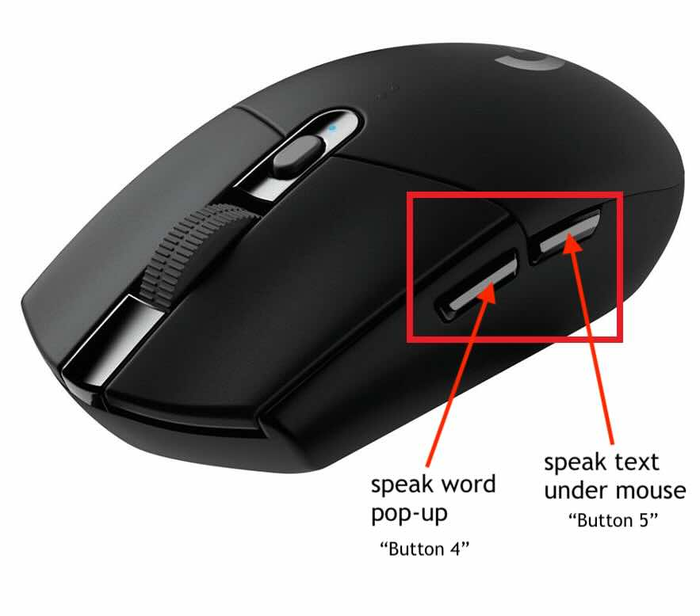
The standard button mapping
By default, Sensory Readable maps the two extra buttons (often labelled "back" and "forward" or button 4 and button 5) to:
- Side button 1 (back / button 4)
- Equivalent to Ctrl+Shift+hover — reads the single word under the pointer and opens the Word Information popup with definition, pictogram, and homophone links.
- Side button 2 (forward / button 5)
- Equivalent to holding Ctrl+hover — reads text under the mouse pointer in the current Hover Read mode. Hold the button down to keep reading; release to stop.