
If you need to remove Sensory Readable from your PC — temporarily for troubleshooting, or permanently — Windows handles uninstallation through its standard apps-removal process. This page walks through it and explains what's removed and what stays behind.
How to uninstall Sensory Readable
- Close Sensory Readable if it's running. Right-click its icon in the system tray and choose Exit, or close it from the toolbar.
- Open Windows Settings (press Win+I, or click Start → Settings).
- Go to Apps → Installed apps.
- Search for "Sensory Readable" in the list.
- Click the three-dot menu next to Sensory Readable and choose Uninstall.
- Confirm when Windows prompts.
- The uninstaller runs and removes the application — typically takes under a minute.
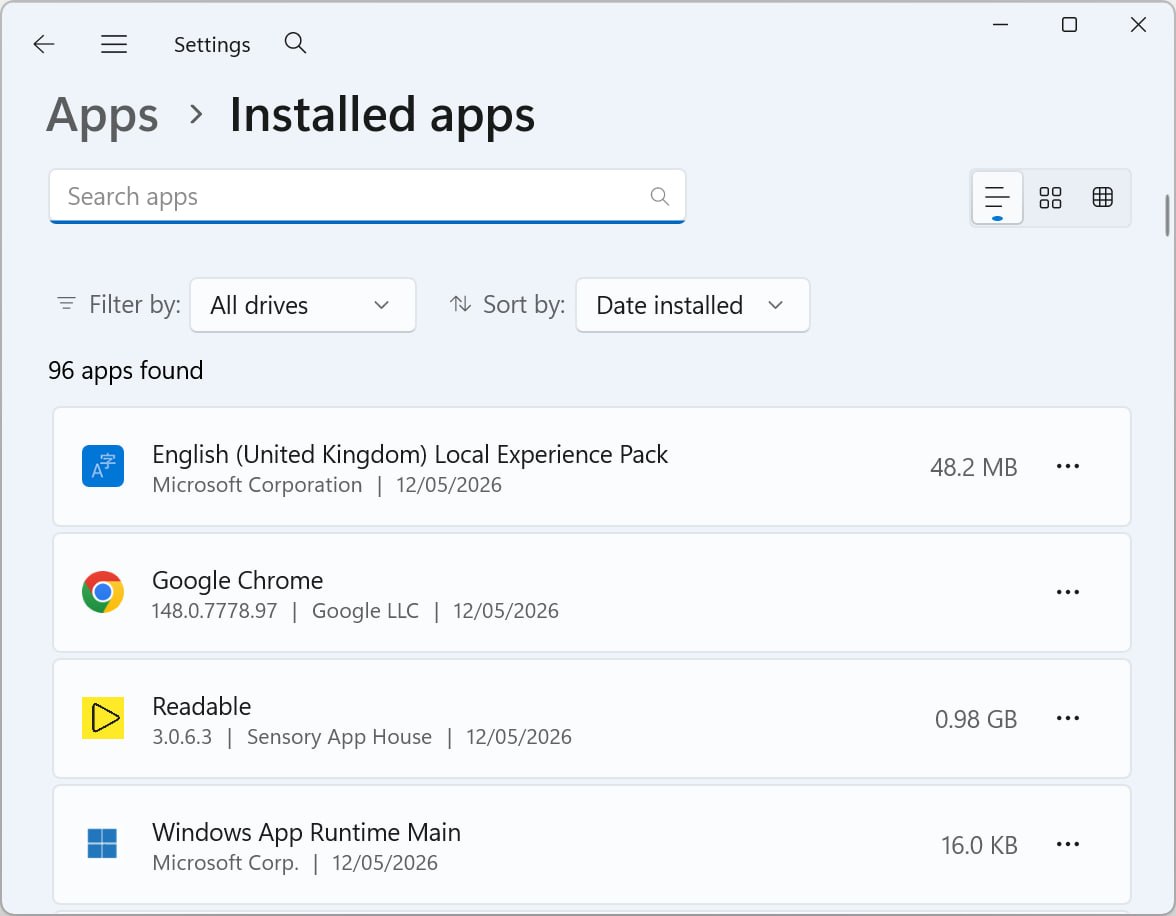
If you also have any of the companion apps installed (Sensory Tint, Sensory Ruler, Sensory PDF Reader, PDF Convert, Sensory Markers), they appear as separate entries in Installed apps. Uninstall each one separately if you want to remove them too.
What is removed by uninstall
- The Sensory Readable application itself
- The Readable toolbar and Readable Editor
- The 6 Sensory Fonts (no longer available system-wide after uninstall)
- Bundled voices and the offline voice files
- The Word integration add-in
- Bundled ambient sound files
- Application files in Program Files / Program Files (x86)
What may remain on the PC
Some user-specific data may remain in your Windows user profile after uninstall, depending on the uninstall mode chosen. This typically includes:
- Your custom pronunciations
- Your prediction learning data
- Your application preferences
- Recent files lists
- Any documents you saved in the Readable Editor (these stay where you saved them — uninstall never touches your own documents)
If you reinstall Readable later on the same PC, this preserved data is picked up automatically — you don't need to recreate your custom pronunciations or settings.
If you want a completely clean removal that wipes user data too, look for a "Remove user data" option in the uninstaller.
Documents and your work
Documents you created or edited with Sensory Readable — Word documents, .txt files saved from the Editor, MP3 audio files exported via Save to Audio — are not affected by uninstall. They remain wherever you saved them and can be opened in any compatible application.
The same applies to any annotations made with Sensory Markers if you have it installed: the annotations are stored in the Markers data layer and uninstalling Markers removes them, but the underlying source documents are unchanged.
If uninstall fails or hangs
- Restart Windows and try again — sometimes a restart releases locked files
- If still failing, run the Windows Troubleshooter for installation/uninstallation issues
- Contact Sensory App House support — we can guide you through manual cleanup if needed
Reinstalling later
If you change your mind, you can reinstall Sensory Readable any time. See Installing Sensory Readable for the install steps. Your previous custom pronunciations and prediction learning will be picked up automatically (assuming you didn't wipe user data during uninstall).