
Sensory Readable is a Windows assistive technology app that reads any text on your PC aloud. Version 3 introduces a major change: speech and word-by-word highlighting now work in any application, even when text is locked, embedded in an image, or otherwise inaccessible to standard screen readers.
Video overview
A quick overview of what Sensory Readable does. The video only contacts Vimeo once you press play.

What Sensory Readable does
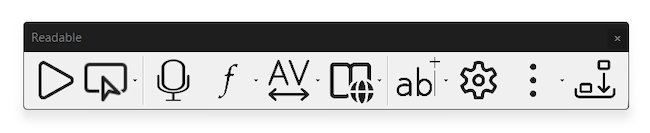
Readable speaks any text on your Windows PC using natural text-to-speech voices. As it reads, it visually tracks each word with an underline so you can follow along. It works with Microsoft Word, Edge, Outlook, Chrome, Notepad, Adobe Acrobat, and effectively every other Windows application.
Beyond speech, Readable includes a built-in offline dictionary (147,000+ words), an offline thesaurus (110,000+ synonyms), spell checking integrated with Microsoft Word, word prediction, autocorrect, ambient sounds, and companion apps for tinting, ruling, PDF reading and more.
What is new in version 3
Version 3 is a major release. The most significant changes are:
- Universal app coverage. Hover Read Modes and the Word Information popup work in any application — transparently using a range of accessibility techniques for all content, including text that may be locked or contained in images.
- Built-in offline dictionary & thesaurus. No internet required. See Word Lookup and Thesaurus.
- Readable Banner. A new text display area when the toolbar is docked at the top of the screen — see Readable Banner.
- An expanded range of high-quality offline voices. See Choosing a Voice.
- 6 Sensory Fonts. Custom-designed for readability, installed system-wide on Windows. See Sensory Fonts.
- Sensory Prediction Engine. A specialist prediction system inside the Readable Editor, with phonetic rules tuned for dyslexic readers and language learners.
- New keyboard shortcuts. Ctrl+Space reads from the mouse pointer to the end of the document. F7 now toggles speech (start/stop). See Keyboard Shortcuts Reference.

System requirements
- Windows 11
- Recommended: Intel i5 or equivalent, 8 GB RAM, 256 GB storage