
Access any text for Readable to speak using Text Extractor.
Sometimes text on the screen is an image only or it isn’t accessible to Readable. Perhaps a photograph of an old document, scanned documents, inaccessible PDF files or certain applications.

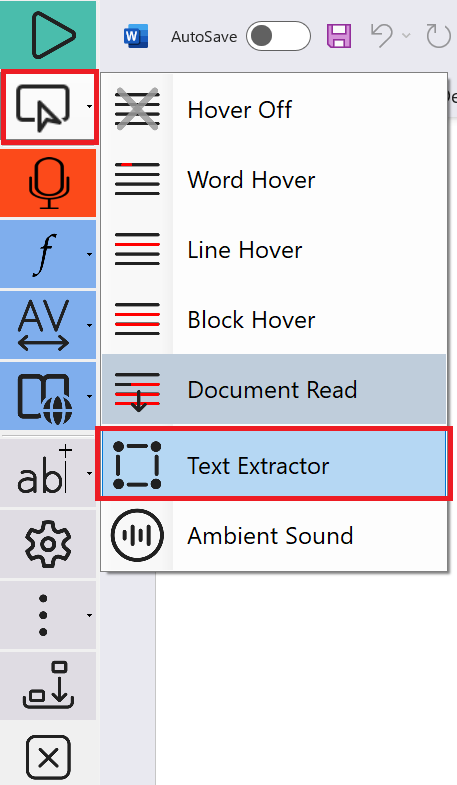
It is easy to extract this text to the clipboard of your PC, by using the Readable Text Extractor tool. Click on Text Extractor, from within the yellow button menu pull-down, and a crosshair appears. Then select the area of your screen that contains the text you want to extract. This text will be recognised and quickly spoken. It can also be pasted from the clipboard to other applications as required.
Video Help (requires internet)
https://youtube.com/embed/EkFCFSLBxjE?showinfo=0&rel=0