
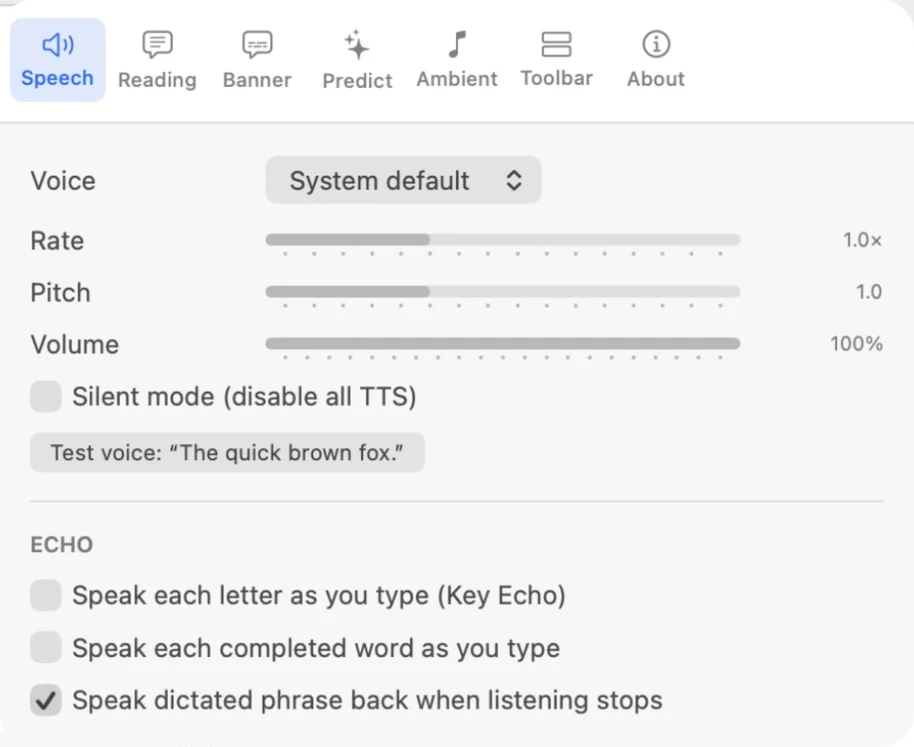
The Speech tab of Settings controls how Readable sounds.
- Choosing a Voice
- Pick any voice installed on your Mac. For Apple voices you can also set the rate, pitch and volume.
- Silent Mode
- Mute all of Readable’s speech without changing your other settings.
- Key Echo and Voice Echo
- Hear letters or words as you type, and hear your dictation read back.
Video help
A short video showing this feature in Readable for Mac v2. The video only contacts Vimeo once you press play.