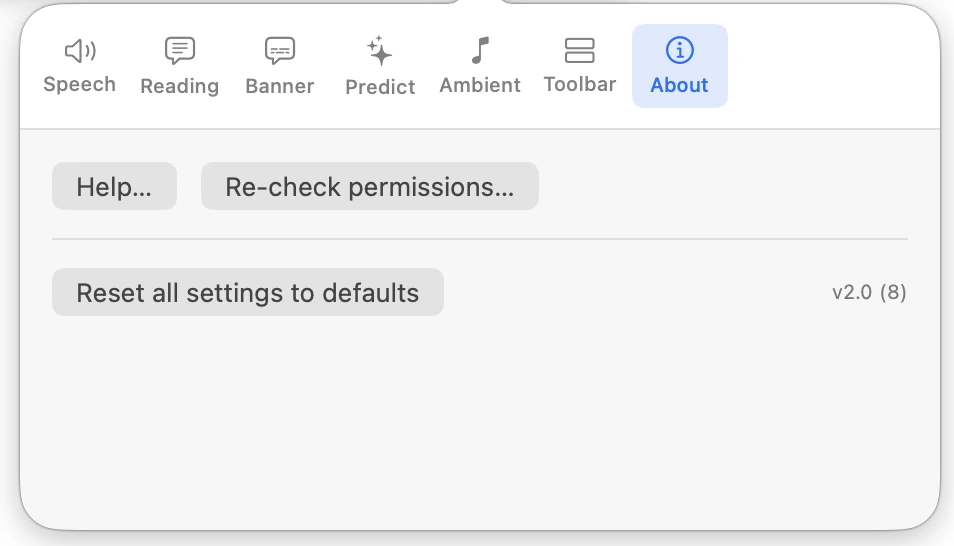
Click the Settings button on the toolbar. Settings are arranged in seven tabs. Changes take effect straight away and are remembered.
Speech
- Voice
- Any voice installed on your Mac, or System default. See Choosing a Voice.
- Rate / Pitch / Volume
- 0.5×–2.0×, 0.5–2.0, 0–100%. Greyed out for voices that set their own.
- Silent mode (disable all TTS)
- Mutes all speech. See Silent Mode.
- Test voice
- Plays a test phrase.
- Echo
- Speak each letter as you type (Key Echo) — off; Speak each completed word as you type — off; Speak dictated phrase back when listening stops — on. See Key Echo and Voice Echo.
Reading
- Require Ctrl/Option for hover-speak
- On by default. See Hover Read Modes.
- Speak when text is selected
- Off by default. See Speak on Select.
- Speak text captured by Text extractor
- On by default. See Text Extractor.
- Visual tracking
- Underline each word as it is spoken (on), Underline colour (red), Thickness (3 px). See Word Underline.
The hover mode itself is chosen from the Hover ▾ dropdown on the toolbar.
Banner
- Show the spoken-text banner
- Off by default.
- Background / Text colour / Font / Font size / Words at a time / Underline the currently spoken word
- See Spoken-Text Banner.
Predict
- Predictions
- Off by default.
- Auto-correct obvious typos as you type
- Off by default.
- Profanity filter
- On by default. See Word Prediction and Autocorrect.
Ambient
- Sound
- Off, or one of 15 sounds. See Ambient Sounds.
- Volume — While speaking / While idle
- 15% / 45% by default.
- Music and Spotify
- Dim Music and Spotify while speaking (off), Dim to (30%). See Dim Music and Spotify.
Toolbar
- Show the floating toolbar
- On by default.
- Position
- Track window or Static (default).
- Colour mode
- Black & white (default), Blue or Colours.
- Orientation
- Horizontal (default) or Vertical.
- Size
- Small (default) or Large.
- Keyboard shortcuts
- A reminder of the main shortcuts. See Keyboard Shortcuts Reference.
About
- Help…
- Opens the Readable help.
- Re-check permissions…
- See Installing and Permissions.
- Reset all settings to defaults
- Puts every setting back to how it was when Readable was installed.
- Version
- The version and build number — quote this when contacting support.