
With Speak on Select switched on, Readable reads a passage aloud the moment you finish selecting it with the mouse — there’s no need to press Play. It works in Mac apps, web browsers and Microsoft Word alike.
Turning it on or off
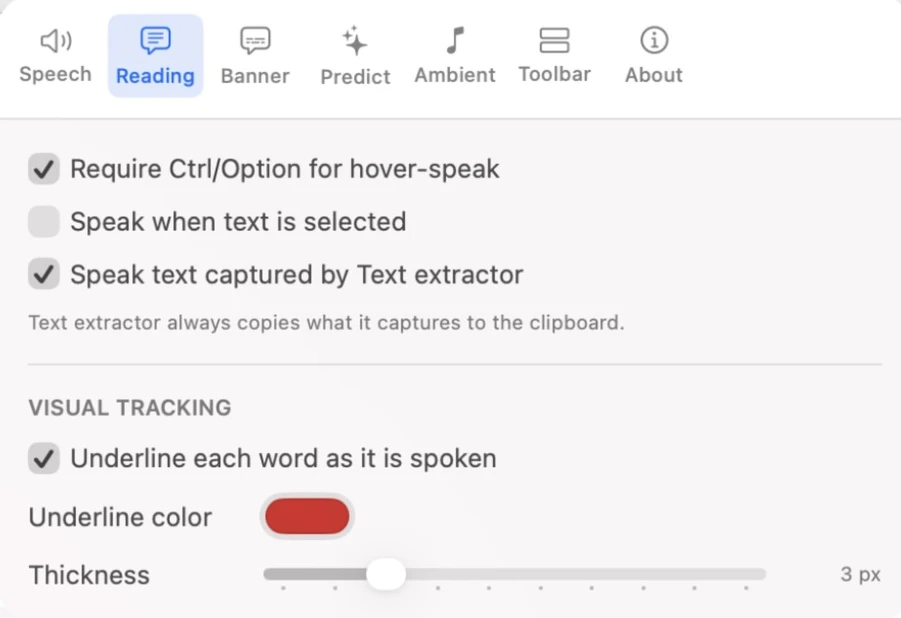
- Open Settings from the toolbar.
- Go to the Reading tab.
- Tick or untick Speak when text is selected.
It is off by default. When it’s off, you can still select text and click Play (or press ⌥ Option+⌘ Command+P).
When you might leave it off
Every selection triggers speech, which can get in the way if you select text to copy, move or format it, or if you work somewhere quiet. In those cases leave it off and use Play when you want to listen.