
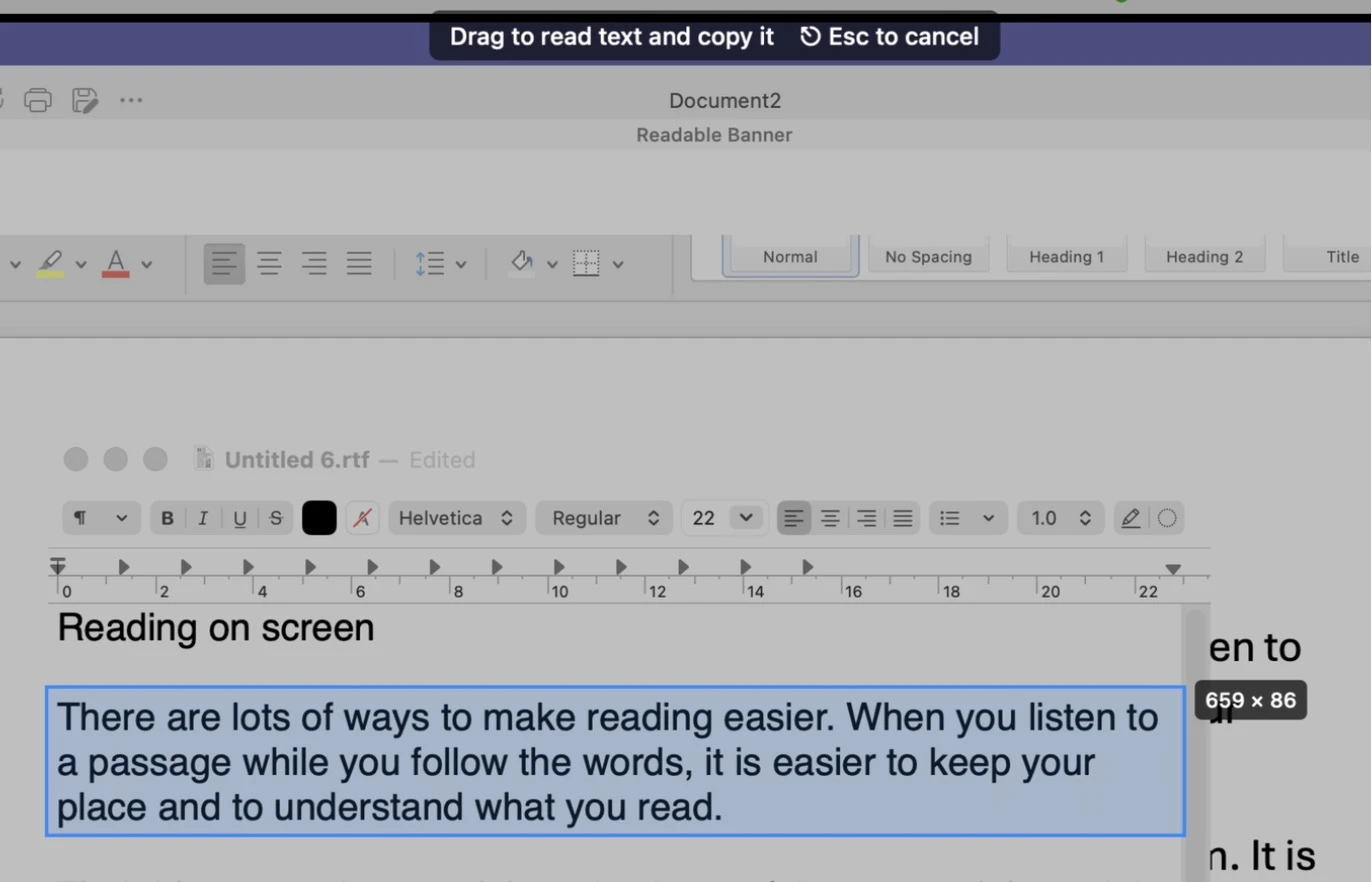
The Text Extractor grabs text from anywhere on screen — even where macOS won’t let you select it, such as an image-only document, a scanned PDF, a video frame, or a remote-desktop window.
Video help
A short video showing this feature in Readable for Mac v2. The video only contacts Vimeo once you press play.
Using the Text Extractor
- Press ⌥ Option+⌘ Command+O, or choose Text extractor (OCR) from the Hover ▾ dropdown, or OCR region… from the menu-bar icon’s right-click menu.
- Drag a rectangle around the text you want. Press Esc to cancel.
- Readable recognises the text, copies it to the clipboard, and reads it aloud.
Copy without speaking
The recognised text is always copied to the clipboard, ready to paste. If you’d rather it wasn’t read aloud as well, open Settings, go to the Reading tab and untick Speak text captured by Text extractor.