
All of these options are on the Toolbar tab of Settings.
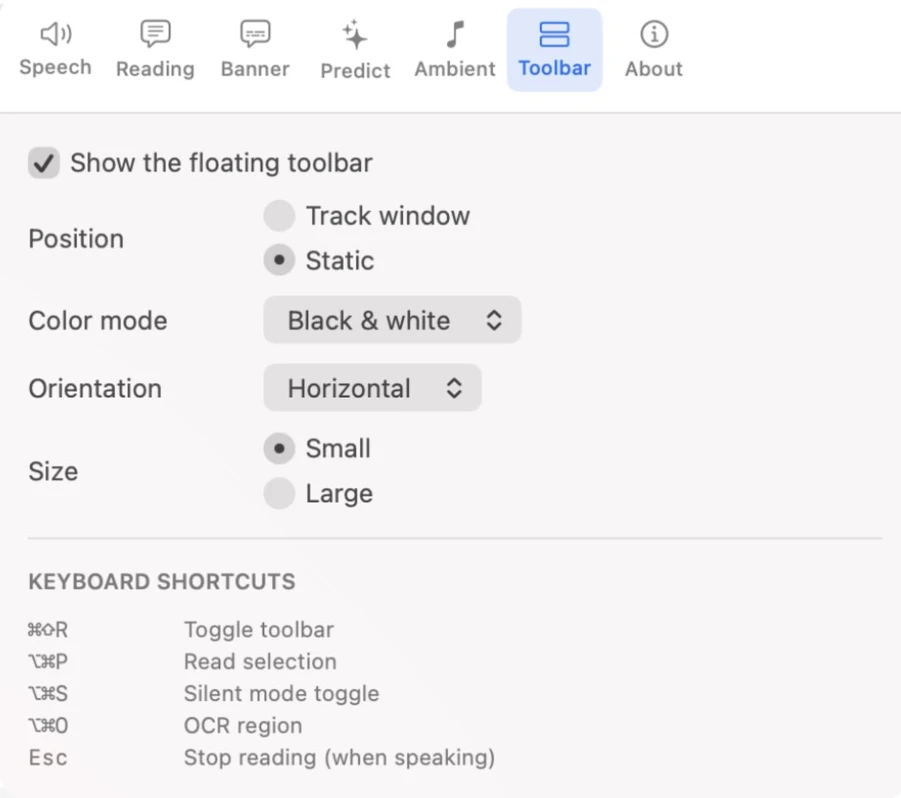
- Orientation
- Horizontal (the default) or Vertical. The buttons are the same either way; on a vertical toolbar the title bar shows just R.
- Size
- Small (the default) or Large, for bigger buttons that are easier to see and click.
- Colour mode
- Black & white (the default), Blue, or Colours, where each group of buttons has its own soft background colour.
- Position
- Static (the default) leaves the toolbar where you put it — top-right of the screen until you drag it somewhere else. Track window makes the toolbar follow the window you’re working in, so it stays close to whatever you’re reading.
- Show the floating toolbar
- Untick to hide the toolbar. Readable keeps running — see Showing and Hiding the Toolbar.
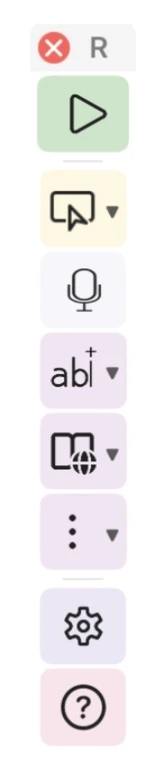
Readable remembers your layout and where you put the toolbar between sessions.
Video help
A short video showing this feature in Readable for Mac v2. The video only contacts Vimeo once you press play.