
When Microsoft Word or Apple Pages is the app in front, the toolbar shows the Text appearance ▾ button. Use it to make your document easier to read. Changes apply to the selected text, or to the whole document if nothing is selected.
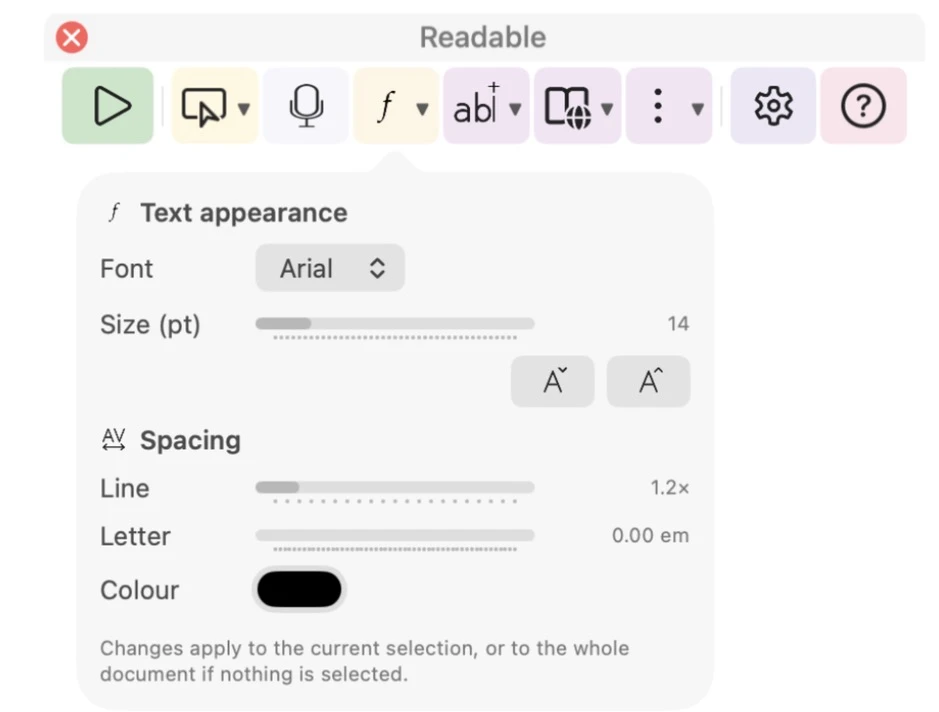
- Font
- OpenDyslexic, Atkinson Hyperlegible, Arial, Verdana, Comic Sans MS or Trebuchet MS.
- Size (pt)
- 8 to 48 point, or use the smaller and larger buttons.
- Spacing — Line
- 1.0 to 3.0 times normal line spacing.
- Spacing — Letter
- Extra space between letters.
- Colour
- The text colour.
Video help
A short video showing this feature in Readable for Mac v2. The video only contacts Vimeo once you press play.