
Video help
A short video showing this feature in Readable for Mac v2. The video only contacts Vimeo once you press play.
Read a selection
- Highlight the text you want to hear.
- Click Play on the toolbar, or press ⌥ Option+⌘ Command+P.
Readable reads just the highlighted text and underlines each word as it goes.
Play from where you clicked
If nothing is selected, Play starts from the place you last clicked in the current window and reads down to the bottom of the window. If you’ve moved to another window since that click, Readable starts from the text cursor instead.
This works in any app, including PDFs, image-based documents and apps that don’t normally share their text. Readable detects the column you clicked in, so sidebars and the second column of a two-column page aren’t mixed into what you hear.
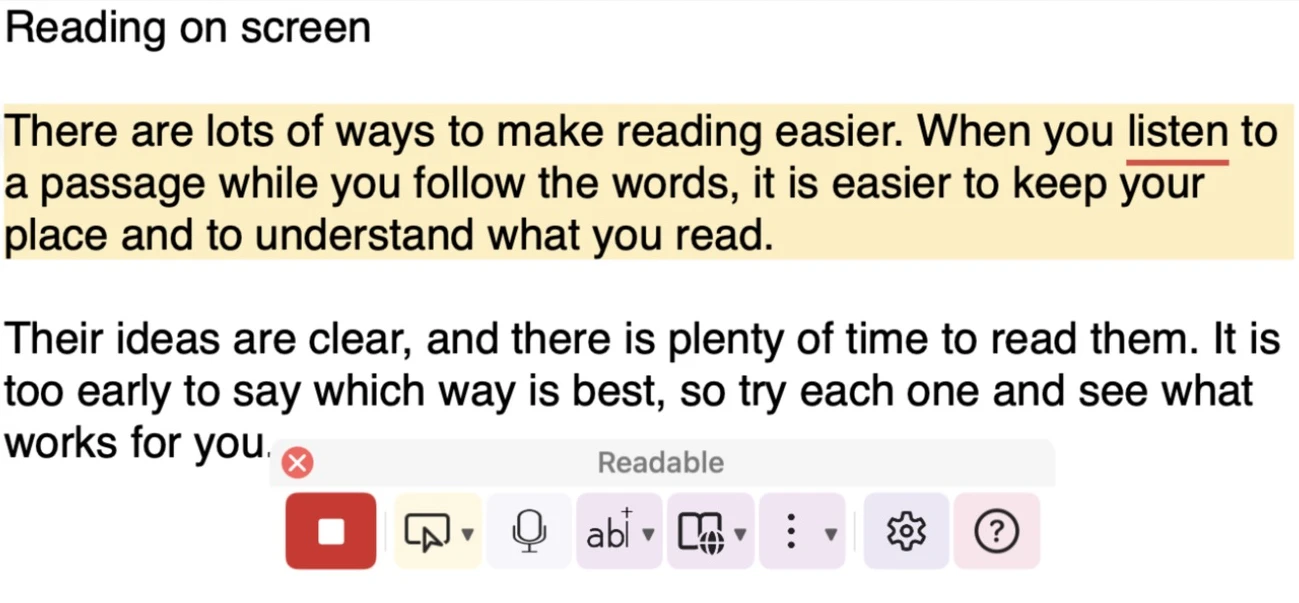
While Readable is speaking
The Play button turns into a red Stop button. Click it, or press Esc or ⌃ Control, to stop. See Stop Speech.