
The Critique command provides the most thorough analysis available in Writeable. It evaluates all aspects of your writing - structure, style, content, argument, and clarity - in a single, detailed review. It is best used when you want a full assessment of a completed piece before submission.

What Critique analysis produces
Writeable first provides a narrative commentary on the writing, then produces a numbered list of specific suggestions across all dimensions. Below is a typical Critique output on a sample article.
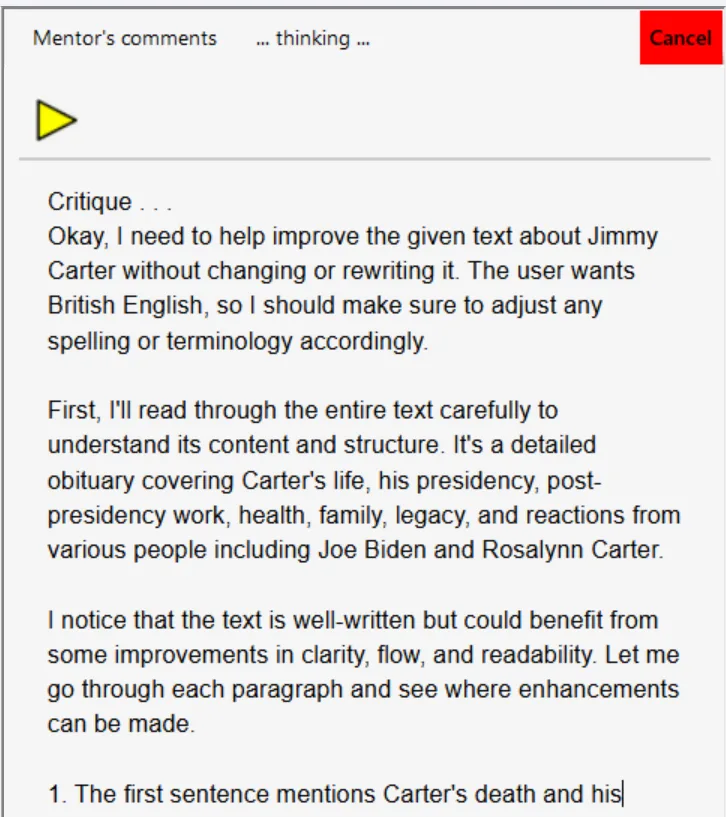
We suggest reviewing the suggestions carefully. If helpful, click in the comment pane and press the Play button to hear them read aloud with text-to-speech.
Offline and private: Writeable for Windows does not send your text to the internet. All analysis is performed locally on your PC using an on-device AI model.