
The right-hand pane of Sensory Writeable displays the commentary and suggestions generated by the analysis. This is the comment pane.
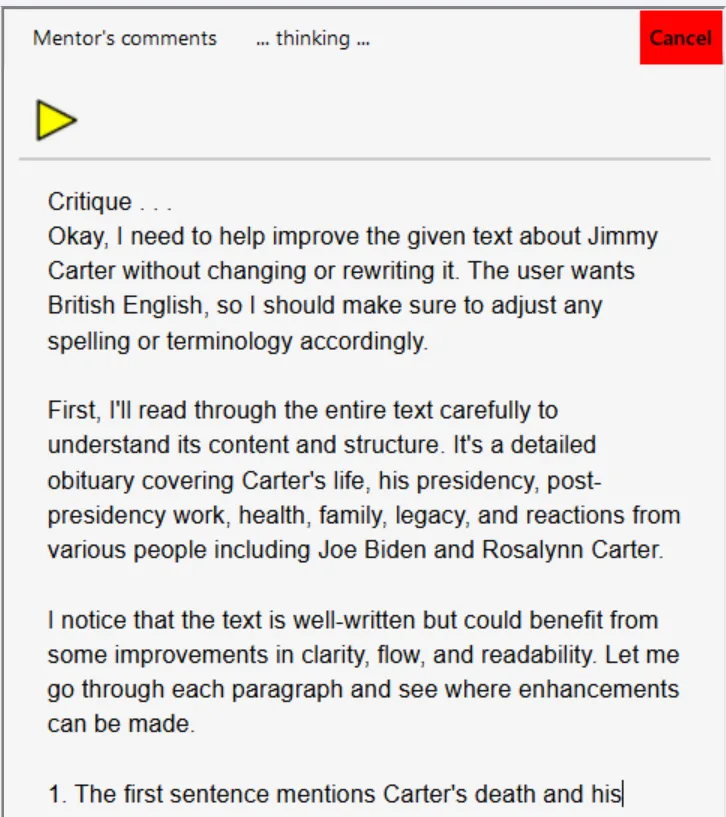
What the comment pane shows
After running an analysis, the comment pane displays:
- Commentary — an initial analysis describing what Writeable found in the text.
- Suggestions — specific, numbered improvements based on the chosen analysis type.
Using text-to-speech to hear suggestions
Click your mouse anywhere in the comment pane, then press the yellow Play button to hear the suggestions read aloud using the selected text-to-speech voice. This is useful for reviewing longer analyses without reading the screen. Press Shift to stop speech at any time.
Copying suggestions
Select any text in the comment pane and copy it (Ctrl+C) to paste into your own document or notes alongside your work.
Writeable never automatically applies its suggestions to your document. All changes are made by you, at your own discretion.