
Sensory Writeable provides five writing analysis commands, each focusing on a different aspect of formal writing quality. The commands appear as buttons on the Writeable toolbar.

Text entered in the left-hand pane is analysed and the commentary appears in the right-hand comment pane.
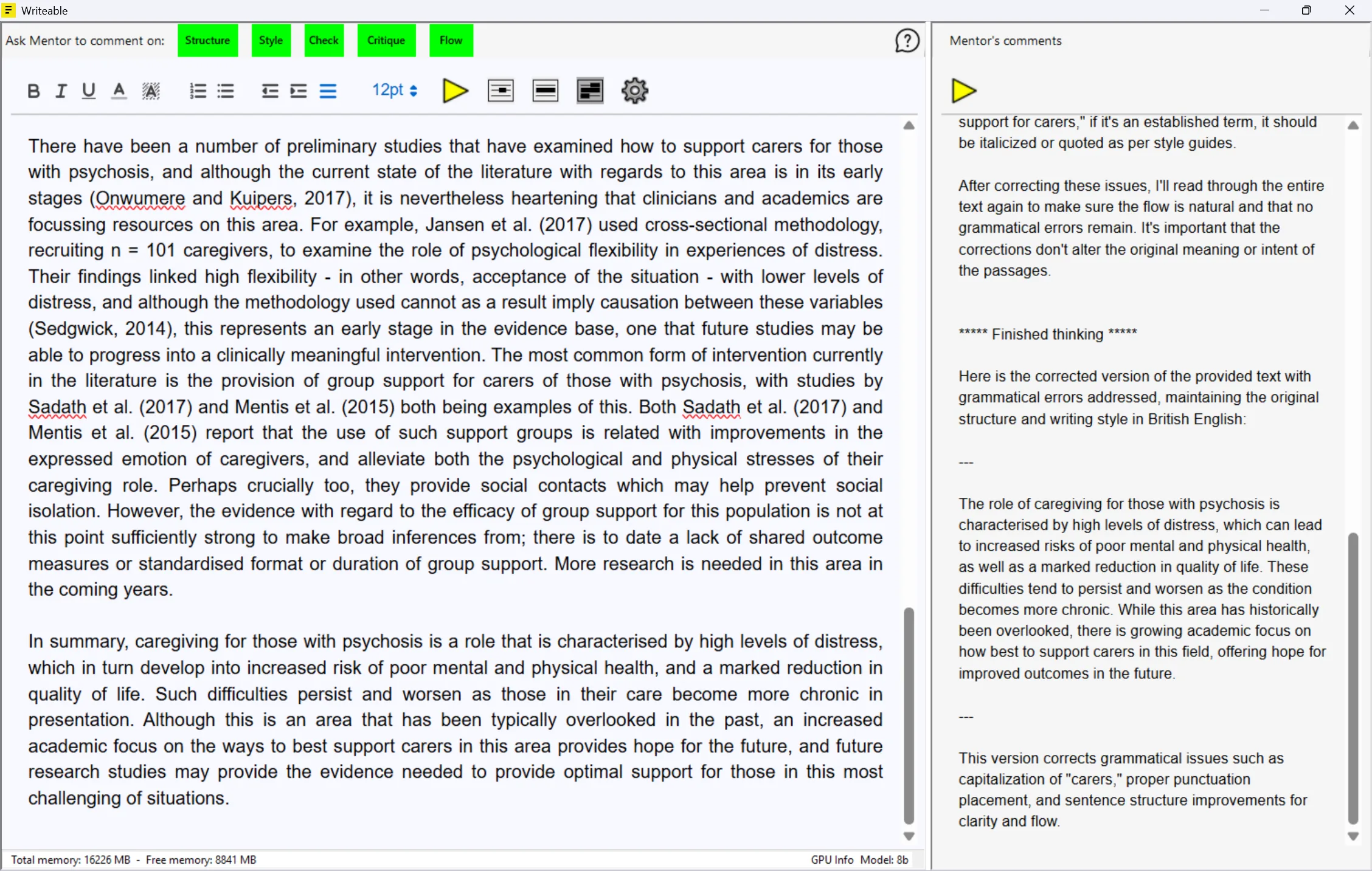
The five commands
Structure — Analyses the organisation and logical progression of your writing. Produces numbered suggestions for improving how sections are ordered and connected.
Style — Reviews vocabulary choices, sentence construction, tone, and register. Identifies informal or inconsistent phrasing unsuitable for formal writing.
Check — AI-powered proofreading of spelling, grammar, and phrasing. Produces a corrected version of the text with suggested improvements. Windows-only feature.
Critique — The most comprehensive analysis, covering structure, style, content, argument, and clarity together. Best used for a full review before submission.
Flow — Focuses on readability and transitions — how smoothly the text moves between sentences and paragraphs.
Analysis speed
Processing time depends on the length of your text and the age and processing power of your PC. You can continue working in other applications while Writeable processes — it works in the background and does not freeze your PC.
Offline and private: Writeable for Windows does not send your text to the internet. All analysis is performed locally on your PC using an on-device AI model.