
The Check command is Writeable's built-in AI proofreader — a Windows-exclusive feature. It reviews your text for spelling and grammar errors and produces a corrected, improved version in the comment pane.

The Check command goes further than standard spellchecking. It uses the Writeable AI model to review spelling, grammar, and phrasing comprehensively, and may also rephrase sentences where it identifies clarity or style issues. Review all suggestions carefully before accepting them.
How Check analysis works — step by step
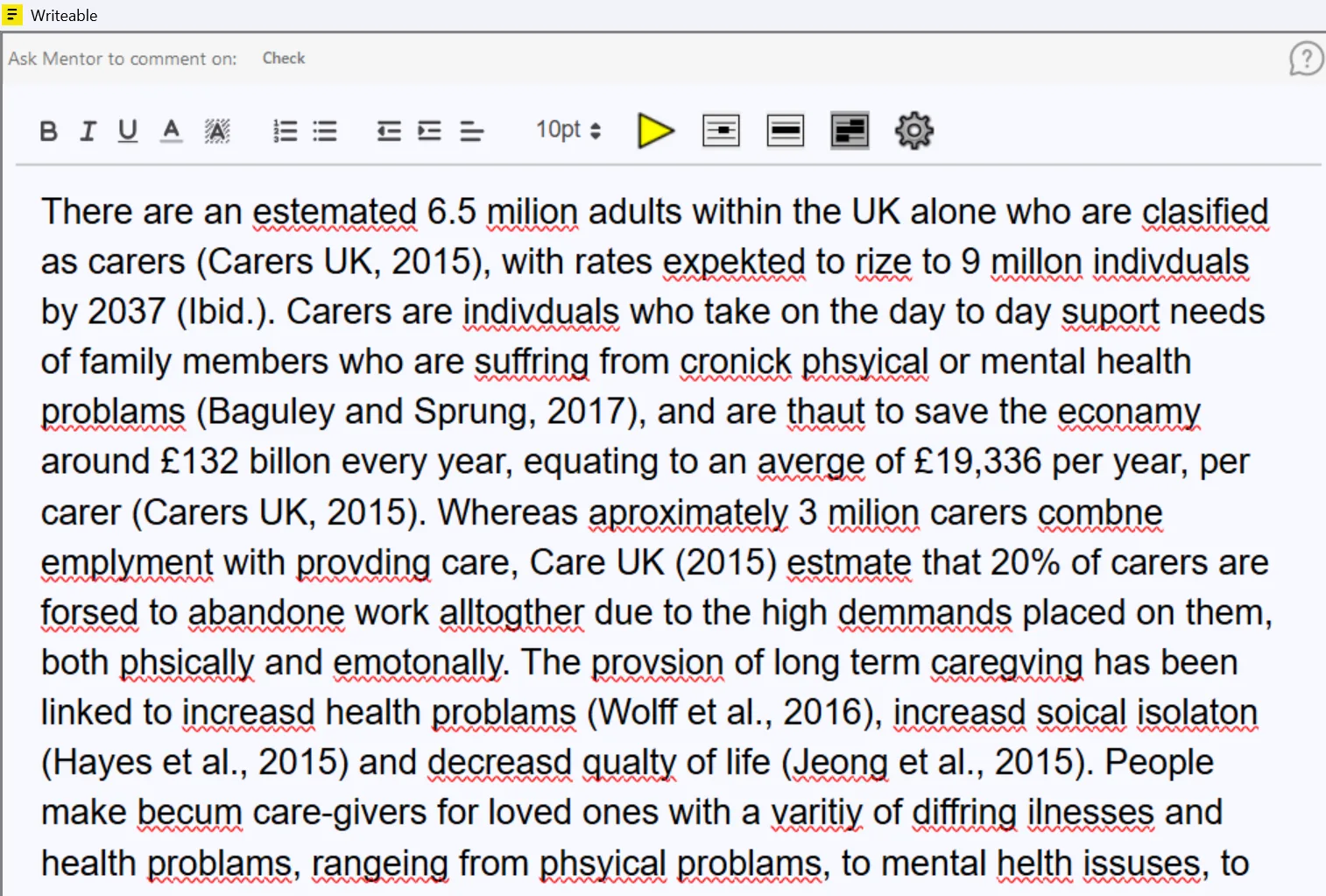
Step 1: Text with errors
Below is an example of text with 48 or more errors entered into Writeable before analysis.
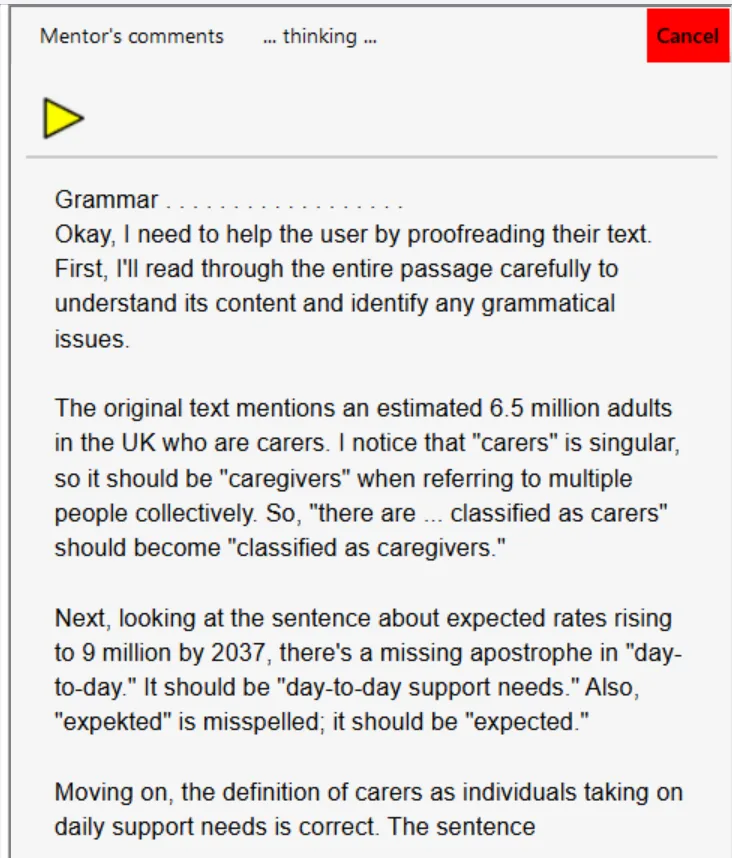
Step 2: Analysis in progress
Writeable begins building its comments and corrections. You can continue working elsewhere while it processes.
Step 3: Corrected text produced
Writeable produces a corrected and improved version of the text with adjustments applied. Review the suggestions and apply what is appropriate to your own document.

We suggest reviewing the suggestions carefully. If helpful, click in the comment pane and press the Play button to hear them read aloud with text-to-speech.
Offline and private: Writeable for Windows does not send your text to the internet. All analysis is performed locally on your PC using an on-device AI model.