
Readable Toolbar for Mac is a macOS menu bar application from Sensory App House. It places a convenient toolbar in your Mac menu bar giving quick access to a range of macOS built-in accessibility and readability settings — display, text-to-speech, voice control, captions, and audio — all in one place.

The Readable Toolbar links directly to macOS system settings for each accessibility area. This help guide was written using screenshots and information from macOS 15 (Sequoia).
What the toolbar covers
- Display & Tint — screen invert, colour filters (tint), text size, and contrast settings
- Speech (TTS) — macOS Spoken Content settings for text-to-speech voices and the floating TTS controller
- Changing Voice — selecting voices, adjusting speed, pitch, timbre, and volume
- Speak Selection — hear selected text spoken with Option+Esc or right-click, with word/sentence highlighting
- Speak Under Pointer — have your Mac speak text as you hover over it
- Voice Control & Dictation — offline dictation and full voice control of your Mac
- Captions — subtitle styles and live captioning settings
- Audio & Background Sounds — ambient sounds for focus and concentration
Quitting Readable Toolbar for Mac
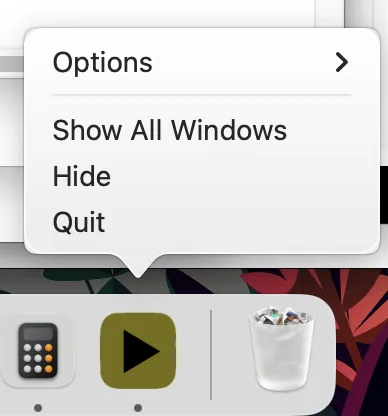
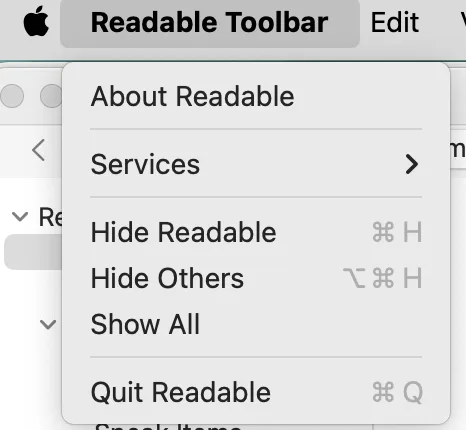
To close the Readable Toolbar, click its icon in the Mac Dock, then right-click (or Control-click) the Dock icon and choose Quit.

Readable Toolbar for Mac vs Sensory Readable for Windows
Sensory Readable for Windows is a floating toolbar with its own built-in text-to-speech engine, word prediction, and reading tools. Readable Toolbar for Mac works differently — it lives in the Mac menu bar and provides quick access to macOS built-in accessibility features rather than a separate engine. Both products support comfortable reading and writing, but the Mac version leverages Apple's powerful built-in accessibility system.