
After a recording is complete, Scribe lets you play back the audio with synchronised word highlighting and navigate using your markers.
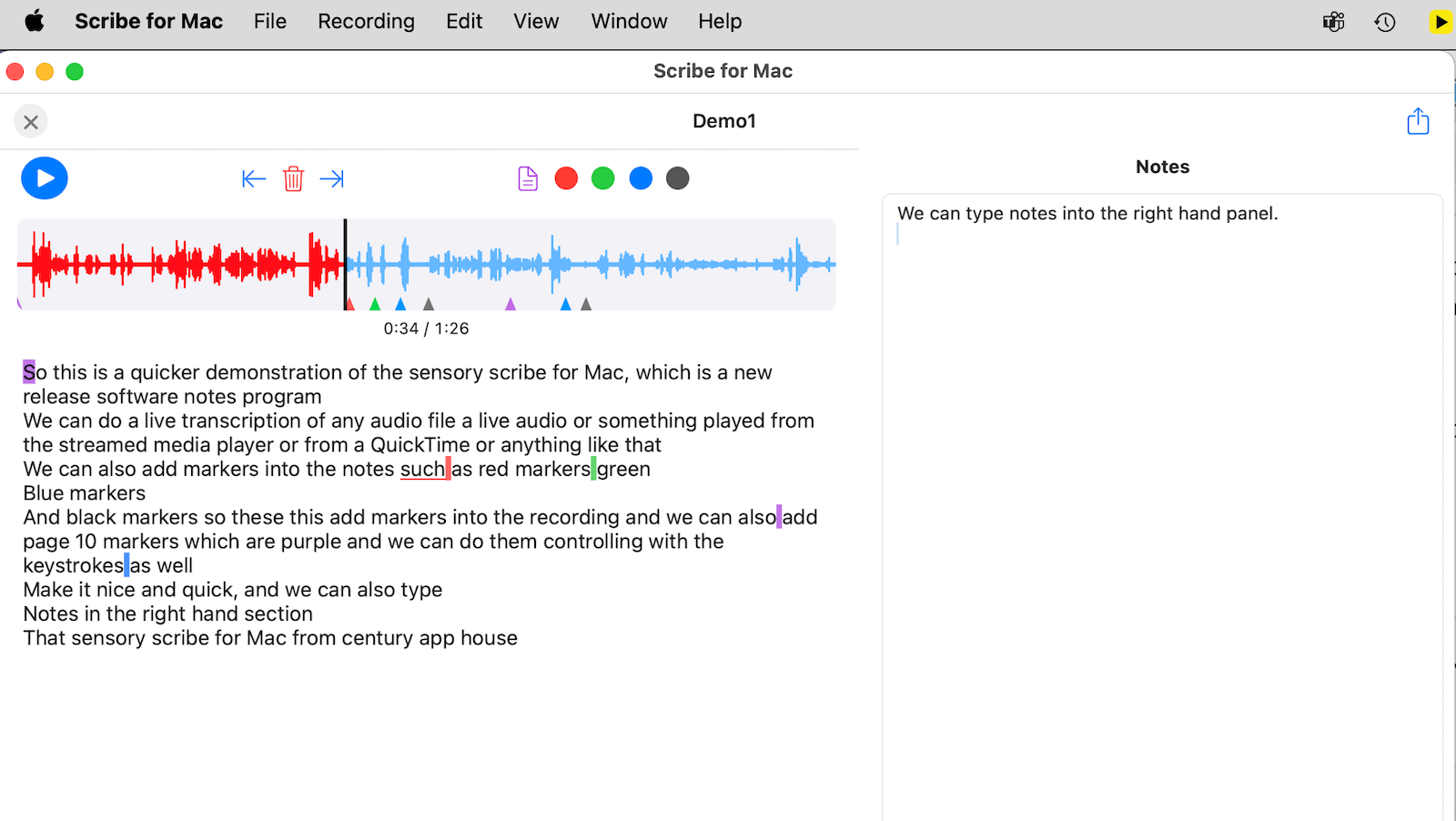
Audio playback
The playback toolbar shows a visual waveform of the recording. Use the controls to:
- Play or pause the recording
- Skip forwards or backwards
- Adjust playback speed
- Jump between markers using the Marker Jump buttons
During playback, individual words in the transcript highlight in sync with the audio, making it easy to follow along and locate specific moments.
Navigating with markers
Click any marker in the transcript view to jump directly to that point in the audio. Use the Marker Jump buttons on the playback toolbar to step through all markers in sequence.
Notes panel
The Notes panel lets you type your own notes alongside the recording. Notes are saved as part of the recording package. You can also copy sections of the transcript and paste them into the Notes panel for further editing or summarising.