
Scribe for Mac integrates with macOS Writing Tools — the system-wide AI editing feature available in macOS Sequoia and later — to help you refine and polish your transcripts.
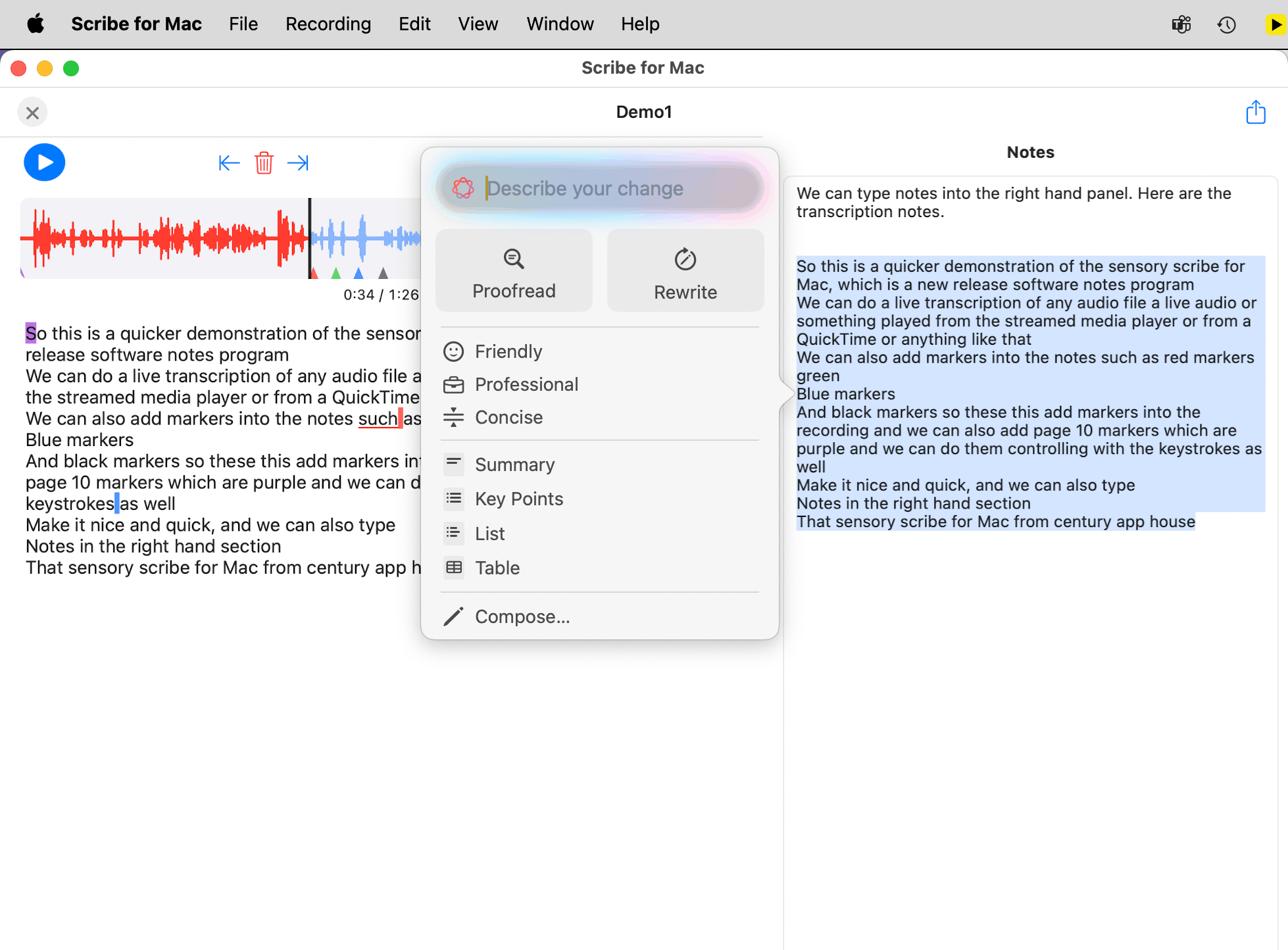
How to use Writing Tools with your transcript
- Copy the transcription text you want to refine from the transcript pane.
- Paste it into the Notes panel.
- Select the text you want to improve.
- Right-click and choose Writing Tools from the context menu, or press ⇧ ⌘ W.
- Choose Proofread to identify and correct transcription errors and mis-recognitions.
- Listen back to the original audio to verify any corrections against the recording.
Other Writing Tools options
Writing Tools also offers Rewrite, Summary, and other editing options that can help you turn a raw transcript into a polished set of meeting notes or study notes.
Note: Writing Tools are a macOS system feature available in macOS Sequoia (15) and later. If Writing Tools does not appear in your right-click menu, check your macOS version in System Settings → General → About.