
Welcome to Sensory Ruler for Mac. Sensory Ruler is a screen reading ruler — a coloured tinted overlay providing a flexible, variable-height reading ruler. It works over any Mac application, including the Dock.
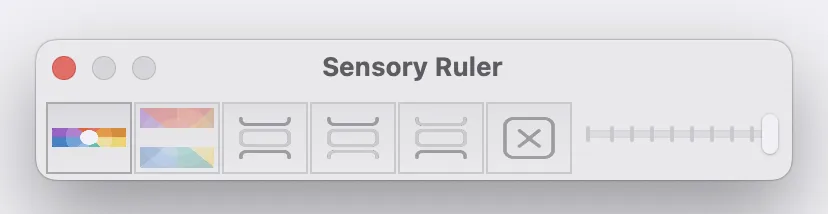
What Sensory Ruler for Mac does
- Places a coloured ruler strip across your screen to help focus on lines or sections of text
- Independently tints the areas above and below the ruler in a contrasting colour
- Follows the mouse pointer as you move it across your screen
- Works over all Mac applications including the Dock
- Expands to a full-screen colour tint overlay when the slider is at maximum
- Supports multiple monitors and virtual Mac desktops
- Runs in the background until you close it
Launching Sensory Ruler for Mac
Launch Sensory Ruler from your Mac Launchpad or Dock by clicking the Sensory Ruler icon. Once running, the ruler and its toolbar appear on your screen.

Mouse tracking on MacBook
Sensory Ruler for Mac follows the mouse pointer on your display. On a MacBook, you can use a two-finger swipe on the trackpad to scroll document content through the ruler area, keeping the ruler in place while the text moves beneath it.
Sensory Ruler for Windows
A Windows version of Sensory Ruler is also available as part of the Sensory Readable Suite. See the Sensory Ruler for Windows help guide for details on the Windows version.