
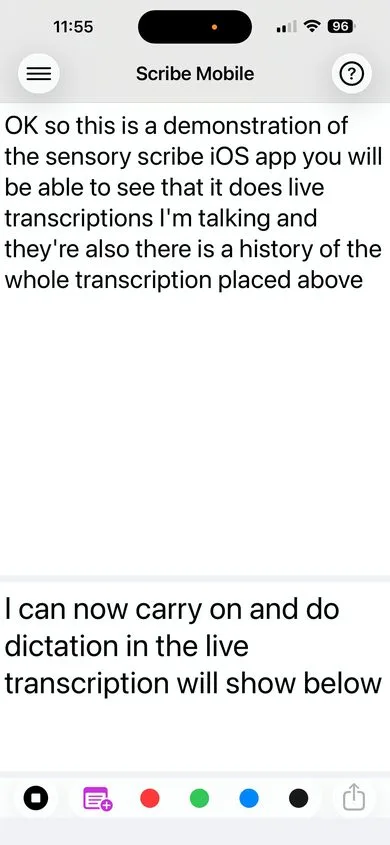
Sensory Scribe Mobile is the iPhone and iPad version of Sensory Scribe — a speech transcription app that records audio, converts speech to text in real time, and lets you insert colour-coded markers to flag important moments. All processing happens on your device, with no audio or text sent to the internet.
What Sensory Scribe Mobile does
- Live transcription — words appear on screen as you speak, in real time
- Colour-coded markers — tap to insert a marker at any moment during recording without interrupting the audio
- Synced playback — words highlight in the transcript as audio plays back, markers jump you to flagged moments
- Complete recording package — audio, transcript, word timestamps, and markers saved together
- Share and export — send a ZIP of all files via AirDrop, Mail, or Messages
- Fully offline — all speech recognition is on-device, nothing sent to servers
System requirements
- iOS 16.6 or later (iPhone) / iPadOS 16.6 or later (iPad)
- Built-in microphone required
- No internet connection required
First launch — permissions
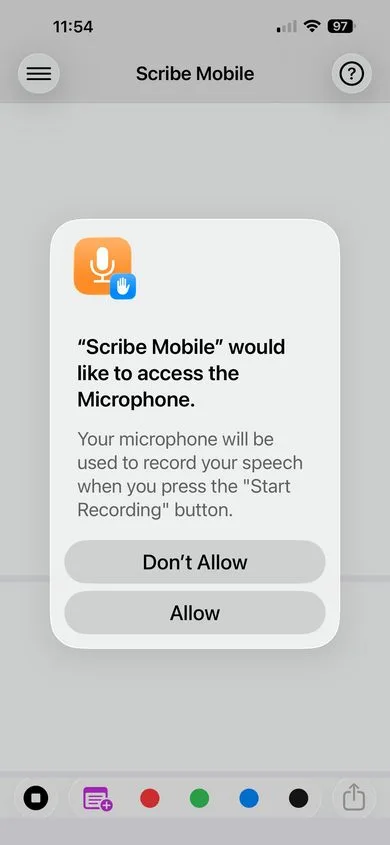
When you open Scribe Mobile for the first time, you will be asked to grant two permissions:
- Microphone Access — required to capture audio for recording and transcription.
- Speech Recognition — required to convert speech to text on-device.
Tap Allow for both prompts. Without both permissions, the app cannot record or transcribe. You can manage these later in Settings → Scribe Mobile.
Scribe Mobile is part of the Sensory Scribe family. See Sensory Scribe for Windows and Sensory Scribe for Mac for the full-featured desktop versions, which include importing existing audio files and AI-powered note editing.