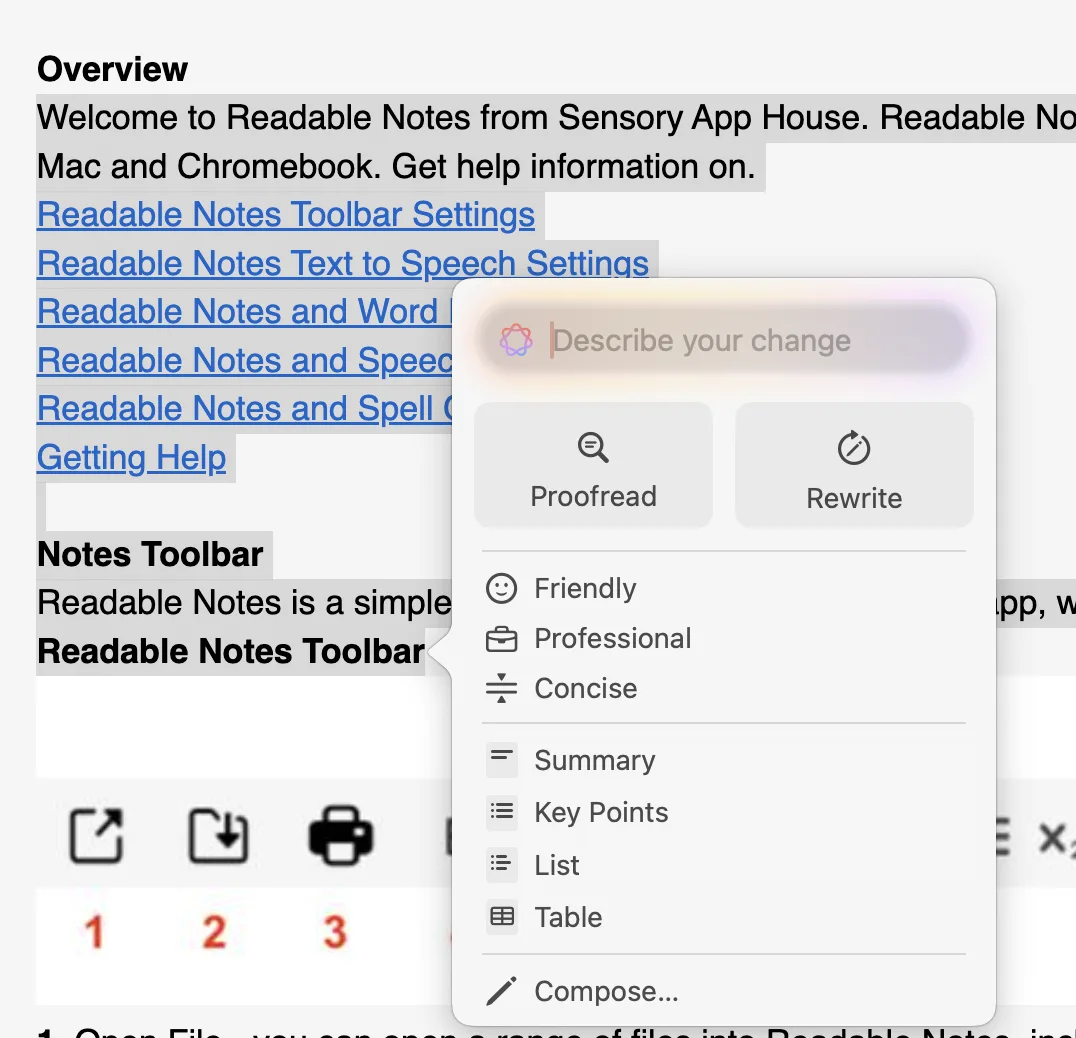
Readable Notes for Mac integrates with two writing support systems: the macOS system spellchecker, and Apple Writing Tools (available in macOS Sequoia and later).
Spellchecking
Readable Notes uses the macOS system spellchecker. Misspelled words are automatically underlined in red as you type, just as they are in other Mac applications.
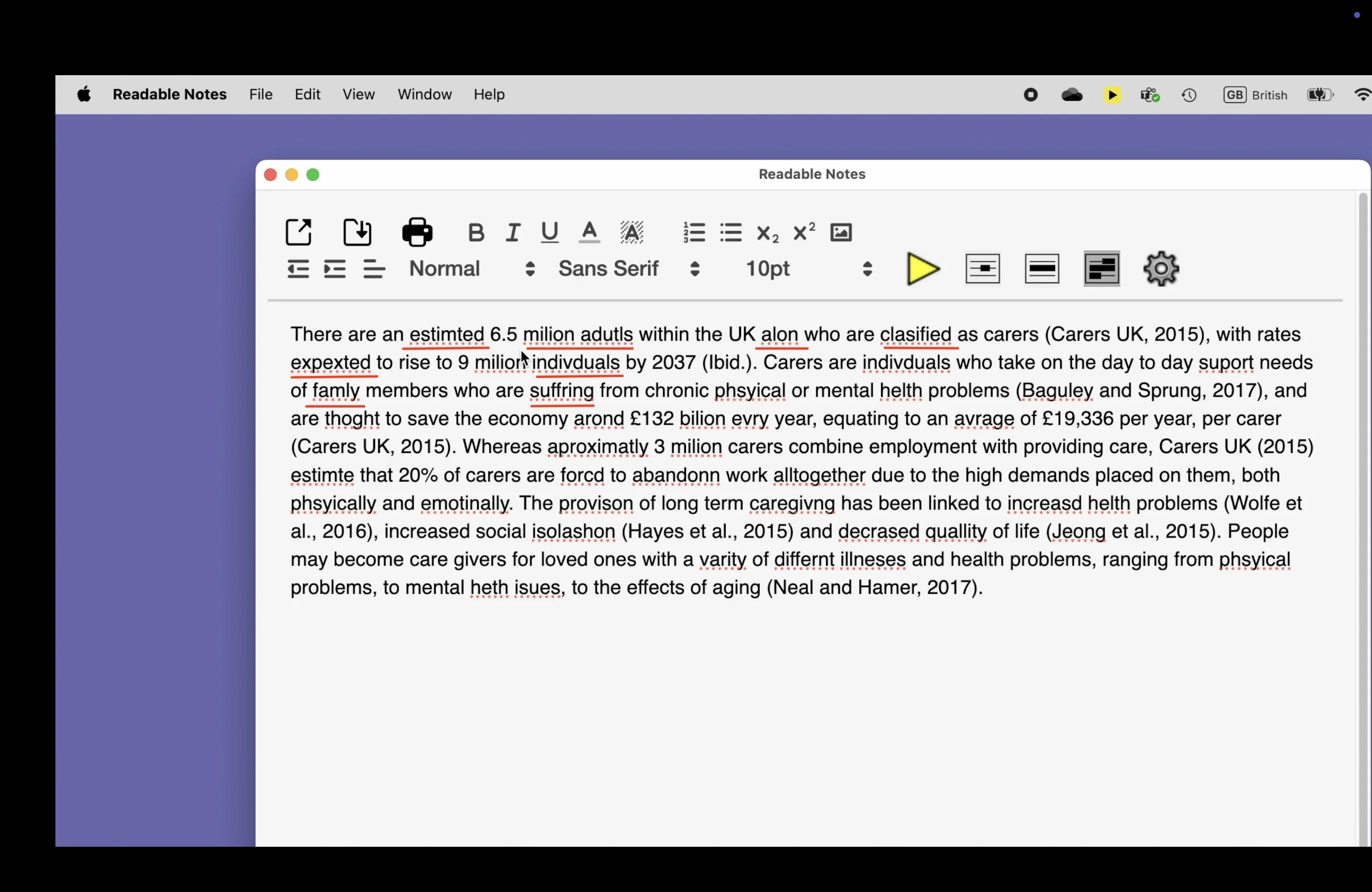
To correct a spelling error, right-click (or Control-click) the underlined word to see suggested corrections. You can also use the Edit menu to access spellcheck options.
Apple Writing Tools
Readable Notes fully integrates with Apple Writing Tools, providing AI-powered writing assistance that works entirely on your device — no internet connection required.
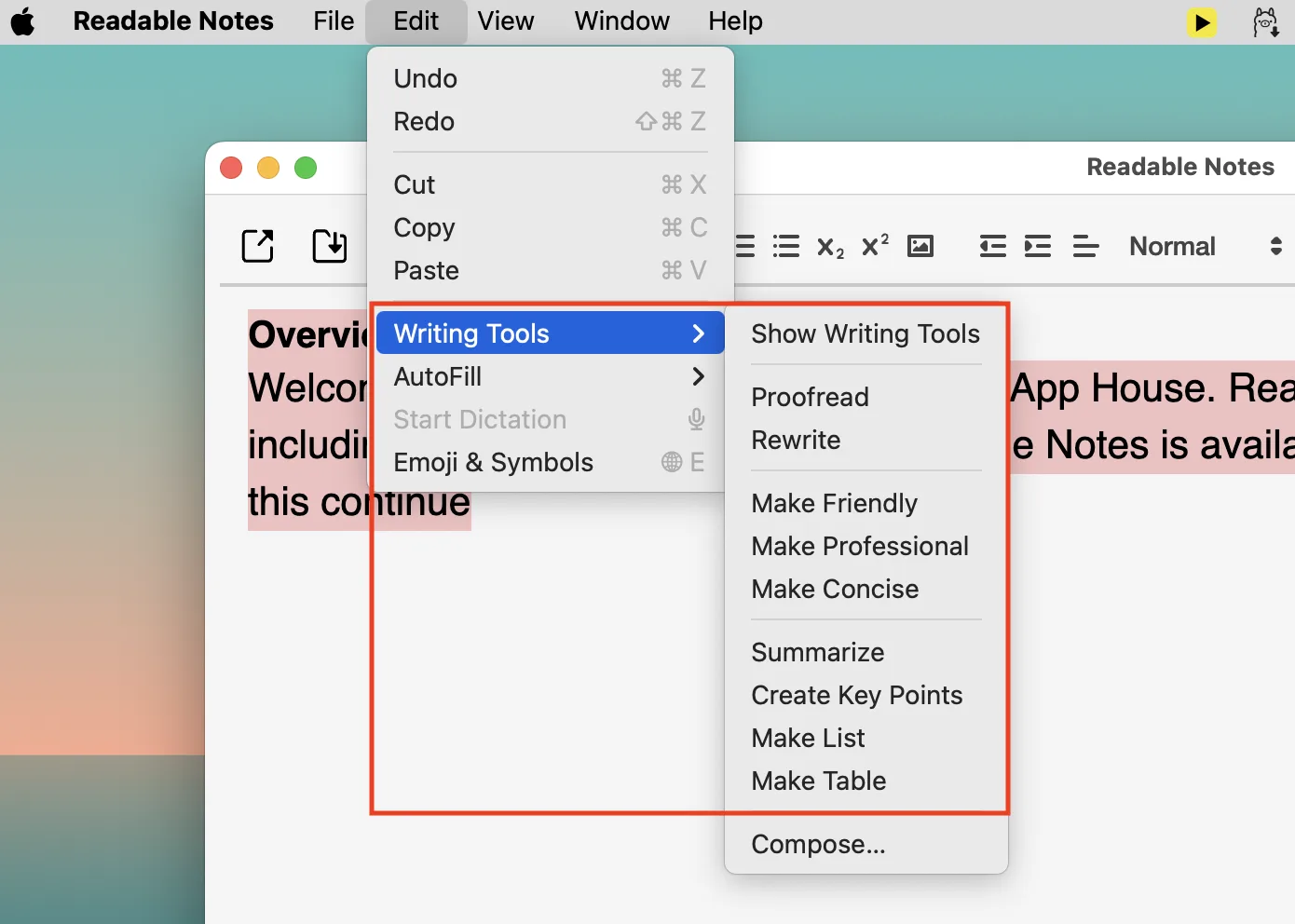
To use Writing Tools, select the text you want to improve, then open the Edit menu and choose Writing Tools, or right-click and select Writing Tools from the context menu.
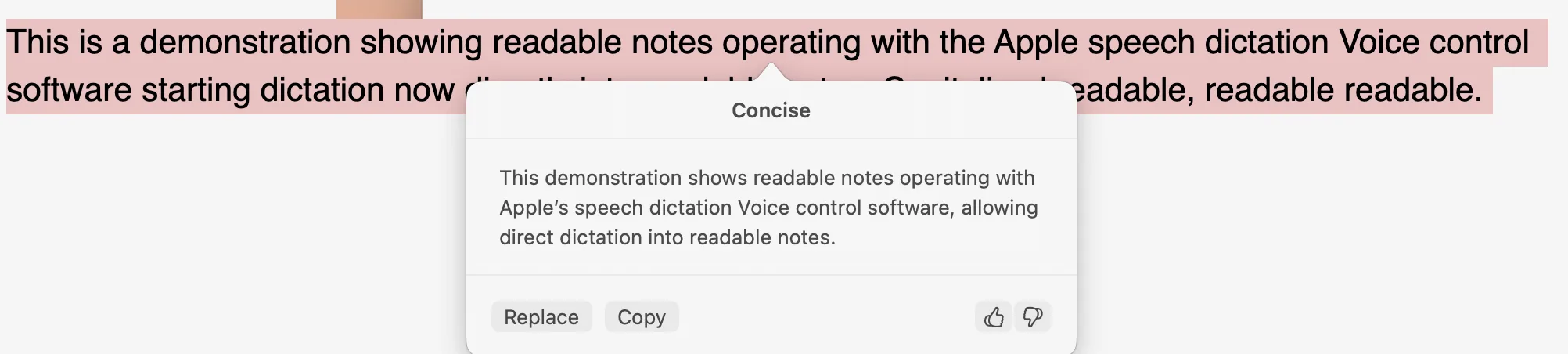
Writing Tools options
- Proofread — Identifies grammatical errors and unclear phrasing, with suggested corrections shown inline.
- Rewrite — Rewrites selected text for clarity, tone, or style.
- Friendly / Professional / Concise — Rewrites the text in a specific tone.
- Summarise — Creates a concise summary of longer selected text.
- Key Points — Extracts the main points from a longer passage as a bullet list.