
Welcome to Sensory PDF Reader for Mac. Sensory PDF Reader is an accessible PDF reader that lets you open, navigate, annotate, and hear PDF content read aloud using the text-to-speech voices built into your Mac.
What Sensory PDF Reader for Mac does
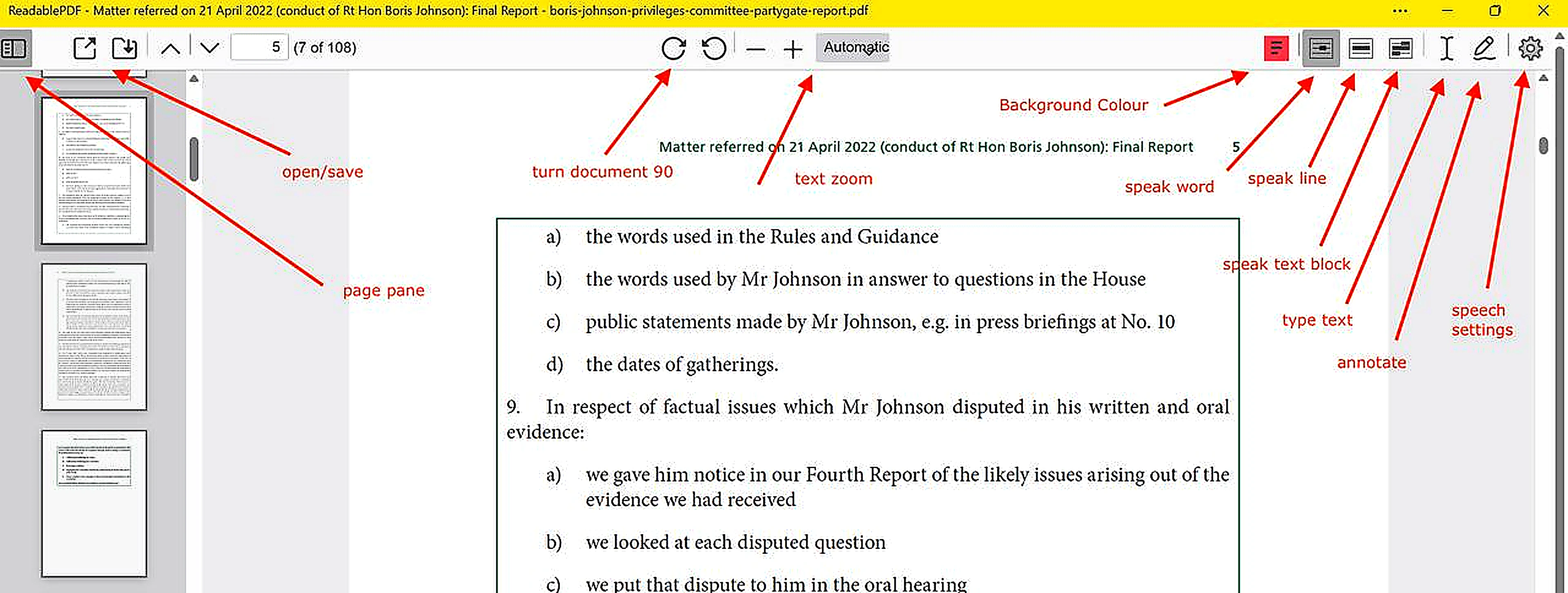
- Read PDFs aloud — speaks words, lines or blocks of text as you move your mouse over accessible PDF content
- Change background colour — choose a reading background colour to reduce visual stress
- Adjust text size — zoom the document from 50% to 400%
- Annotate — add typed text or freehand drawings to any PDF
- Offline — uses macOS built-in voices, no internet connection required
- Exam reader — approved for use as a computer reader in UK school and college examinations under JCQ access arrangements
System requirements
- macOS 11 (Big Sur) or later
- Apple Silicon or Intel Mac
- No internet connection required for reading and speech
Inaccessible PDFs: If your PDF is a scan or photograph of a document (the text cannot be selected), it is inaccessible and cannot be spoken directly. On Mac, use a third-party OCR tool or cloud service to convert it to an accessible PDF first. Note that PDF Convert (the Sensory OCR conversion tool) is Windows-only.